What it is
A rules-based catalog check that normalizes a representative sample, flags source-data problems, tests the selected output format separately, and identifies mapping inputs that need merchant review.

Catalog Scanner
Incomplete product codes, prices, stock, descriptions, attributes, or product grouping can give AI search tools and shopping agents an unreliable picture. Upload a representative catalog file; the free scanner separates source-data defects from problems with the selected output, flags anything inferred, and points to the right cleanup path. A converted file alone does not prove full AI-commerce readiness.
Paid report
Use code LAUNCH99 at checkout for $51 USD off the $150 USD standard price; the paid Catalog Scanner report is $99 USD.
The free scanner preview remains free.
For merchants with a product export, catalog sample, or API response ready to check.
Service code: AP-CATALOG-SCANNER · Brand: Autonomous Path · Availability: available online
Sold by Autonomous Path. This is a digitally delivered service. Review our delivery and refund policy and terms.
What it is
A rules-based catalog check that normalizes a representative sample, flags source-data problems, tests the selected output format separately, and identifies mapping inputs that need merchant review.
What it solves
Missing descriptions, weak descriptive-attribute coverage, broken product grouping, or invalid, duplicate, or inferred product codes, prices, and stock can make products harder for AI search tools and shopping agents to identify and compare. Catalog Scanner shows whether the problem starts in the source record, a mapping input, or the selected output before the same gap spreads into more channels.
Who it is for
Merchants who already have a feed export, product file, API payload, or catalog sample they want checked.
Deliverables
What is not included
Timeline
Starts
Report packaging starts after checkoutExpected result
PDF access expected within one dayCatalog Scanner uses the saved rules-based catalog result rather than making you wait on a manual audit queue. Most reports are available shortly after payment confirmation; the one-day window covers payment sync and delivery buffer.
Questions about timing or delivery? Email support@autonomouspath.ai.
Launch version
The sequence can start two ways: run the free Catalog Scanner preview first, or go straight to the paid Catalog Scanner report when you already have a source catalog ready. Either path keeps the report tied to catalog evidence before cleanup scope starts.
This work addresses the pages, product data, or setup described in scope. It cannot promise how a third-party platform will rank, approve, activate, accept, or display the store.
Sample full report
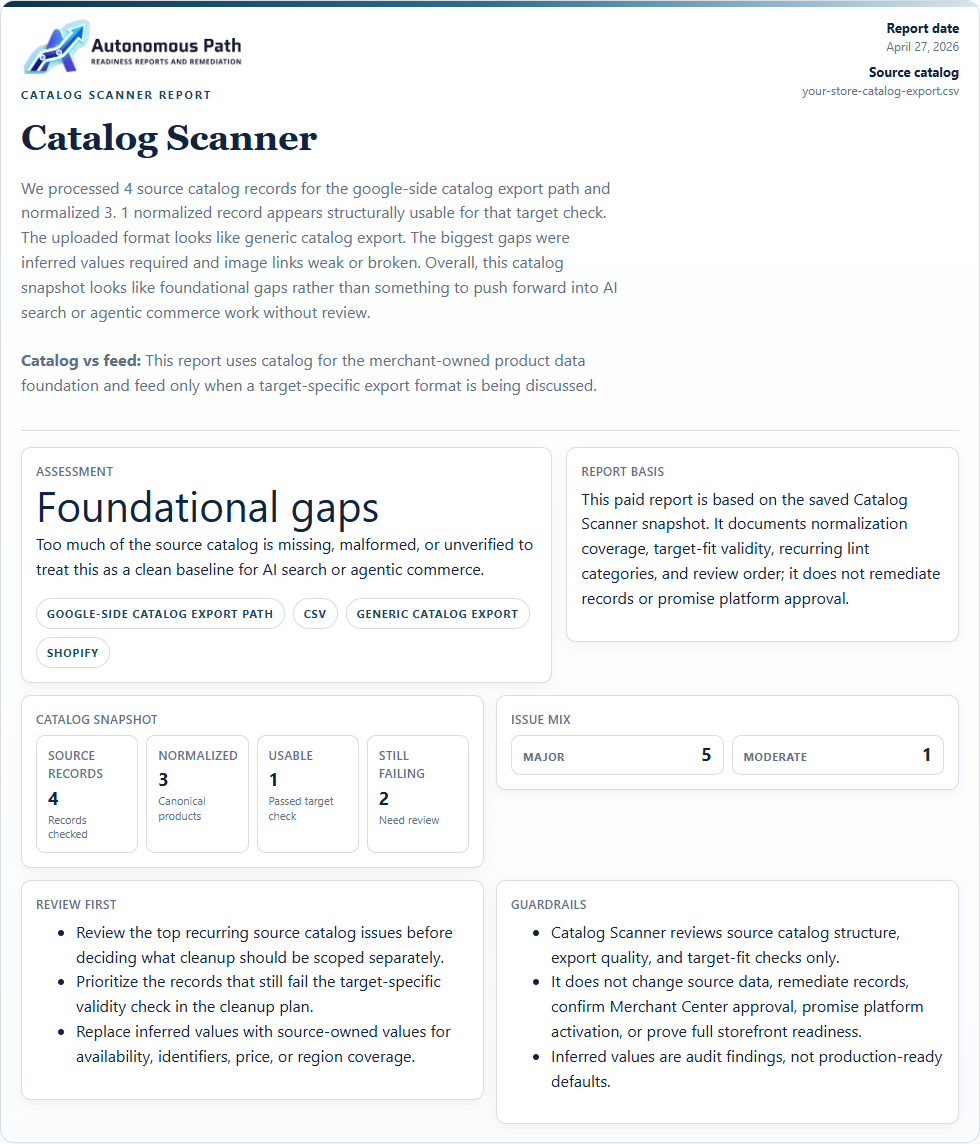
Open the current sample to see each catalog problem found, why it is a problem, how to fix it, and how to verify the cleanup.
Sample data is illustrative. A paid Catalog Scanner report documents the submitted product file and selected-format checks only; it does not connect to an account, change products, guarantee Merchant Center acceptance, or prove full store readiness.
How the steps fit
The free scanner shows the main issue categories. The paid report adds a saved issue register and cleanup order. Remediation begins only after the affected records are known.
Site Scanner samples product, policy, and company pages and compares visible details with structured data and catalog basics.
Upload or paste a representative sample to find missing fields, invalid values, inferred data, missing or target-invalid descriptions, absent descriptive attributes, variant grouping, and mapping-prep needs.
The paid report lists affected URLs or records and preserves the fix order. Use remediation only when the scanner has already located the problem.
Proof point
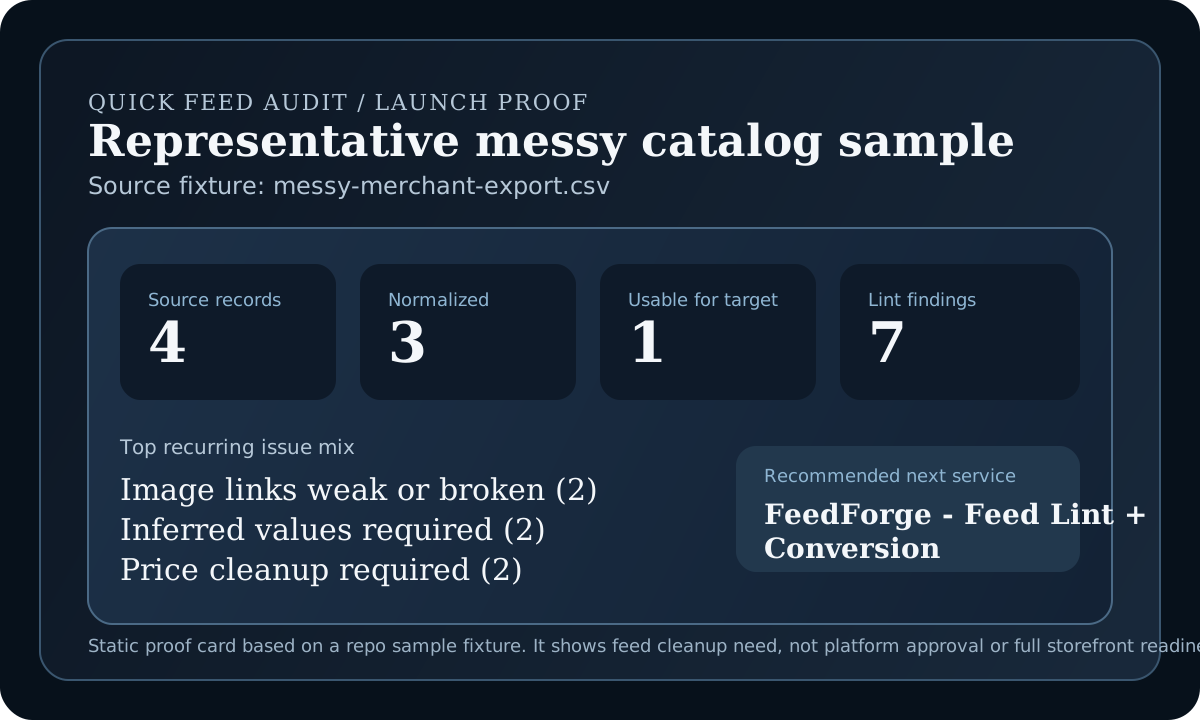
This proof card is based on the repo's realistic `messy-merchant-export.csv` fixture against the Google catalog-readiness check. It shows the kind of rules-based output Catalog Scanner surfaces before any paid Catalog Scanner report scope is proposed.