Upload a representative sample
Use a CSV, JSON, XML, or TXT export from your catalog or Merchant Center.

Check a representative product file for missing product codes, broken options, invalid prices, unclear stock, and details that do not match. See whether the problem begins in the source data or the selected format, then get one evidence-backed cleanup path.
Sample full report
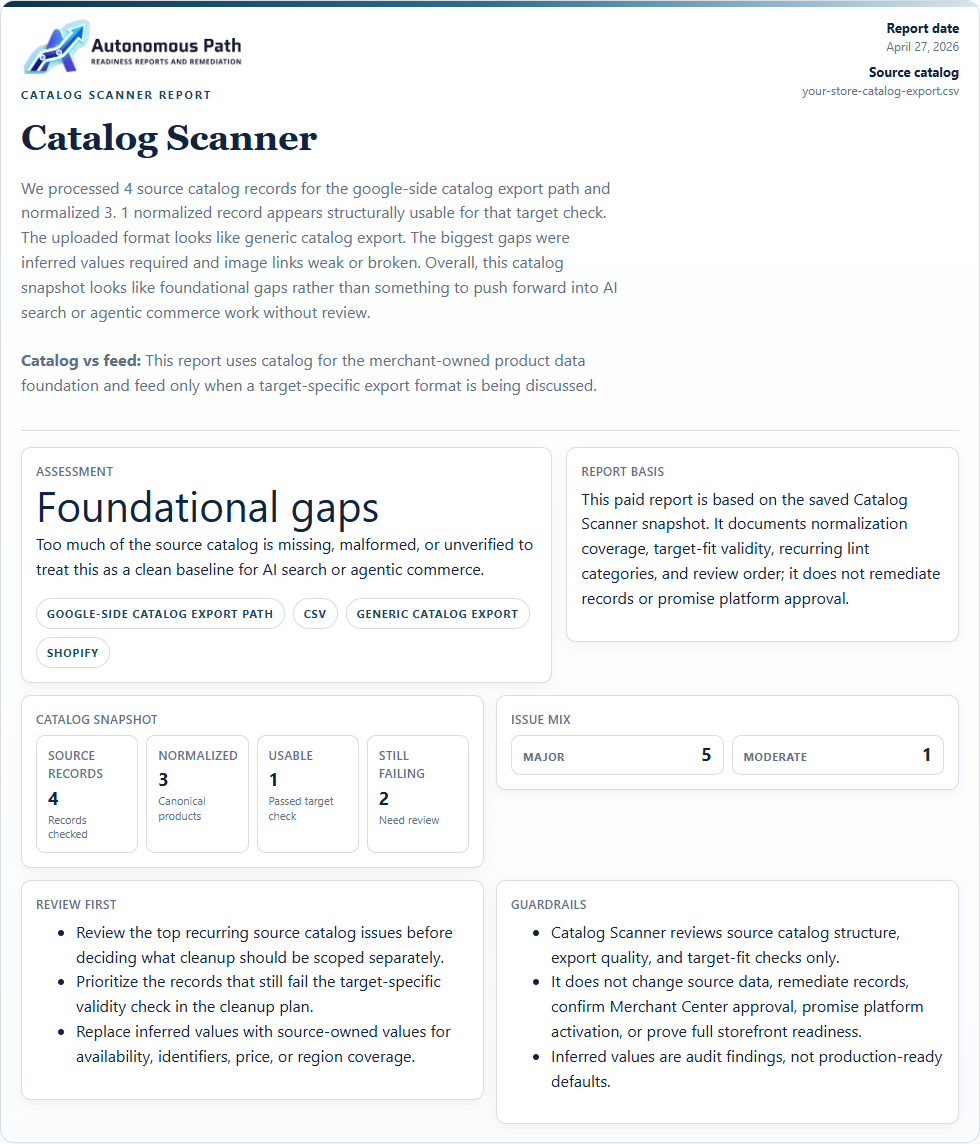
Open the current sample to see each catalog problem found, why it is a problem, how to fix it, and how to verify the cleanup.
Sample data is illustrative. A paid Catalog Scanner report documents the submitted product file and selected-format checks only; it does not connect to an account, change products, guarantee Merchant Center acceptance, or prove full store readiness.
Use a CSV, JSON, XML, or TXT export from your catalog or Merchant Center.
Separate missing source data, invalid values, inferred details, and selected-format failures.
Buy the saved issue register when you need deeper detail, or scope Catalog Remediation after the affected records are known.
Paid option
You can skip the free preview and start the paid Catalog Scanner report from checkout. Add the catalog source there, and the report will use that evidence to build the issue register and cleanup order.
Catalog Scanner paid report
Use code LAUNCH99 at checkout for $51 USD off the $150 USD standard price; the paid Catalog Scanner report is $99 USD.
The free Catalog Scanner preview remains free if you want to check the data first.
Scanner preview
The free preview stays focused: assessment summary, executive summary, and top issue categories. Use the paid report when you need a shareable issue register and cleanup order.